On this page
- What is Claude Meetings?
- What's new compared with a normal AI note-taker?
- How does it work day to day?
- Pros
- Cons
- Does the privacy question matter?
- What does it mean for project teams?
- Who should try it, and who should skip it?
- What does it cost, and where is it available?
- My take
- Frequently asked questions
- What is Claude Meetings?
- Is Claude Meetings free?
- Does Claude Meetings record audio?
- Can Claude join calls with outside guests?
- Does Claude Meetings work with Zoom or Teams?
- Sources
Quick answer. Claude Meetings is a beta that adds Claude to Google Meet calls to draft plans and notes while people talk. It suits internal Team or Enterprise meetings. Wait if you use Teams or Zoom, take client calls, or are on a personal plan.
What is Claude Meetings?
Claude Meetings puts Anthropic's assistant into a video call as a visible participant. It follows the conversation, answers questions, and starts building documents while people are still talking. TechCrunch reported the launch on November 10, 2026, and Anthropic's own product post describes the beta.
Today it works with Google Meet only. Support for other video platforms is listed as coming soon.
What's new compared with a normal AI note-taker?
Many note-taking tools listen, then hand you a summary afterwards. Claude is meant to act during the meeting. Someone can say "Claude, start a doc for this plan," and teammates on the invite can edit that doc while the discussion continues. Someone else can ask it to put a timeline on a whiteboard, or to look up last year's event cost in a connected app.
By default Claude answers in writing, in the call chat. It asks permission before using your connected tools, and for now, when someone asks out loud, it asks each time to confirm who is speaking. After the call, the notes, action items, transcript and anything it built sit on a page for that meeting in claude.ai.
How does it work day to day?
You add Claude to a call, or turn on auto-join, and you can also add it to a later meeting from your calendar in claude.ai. It appears as a participant and posts a notice in the chat, so people on the call can see it is there. Anthropic says it keeps a transcript, a summary and descriptions of what was on screen, but not the audio.
People from your organisation on the invite can see the meeting page and edit what Claude made. It can be shared further inside the organisation.
I have not run it on a live call, so treat everything here as what Anthropic and the press say it does. BetaNews notes that no separate Meetings price has been published, and Anthropic's post says support for other video platforms is coming soon.
Pros
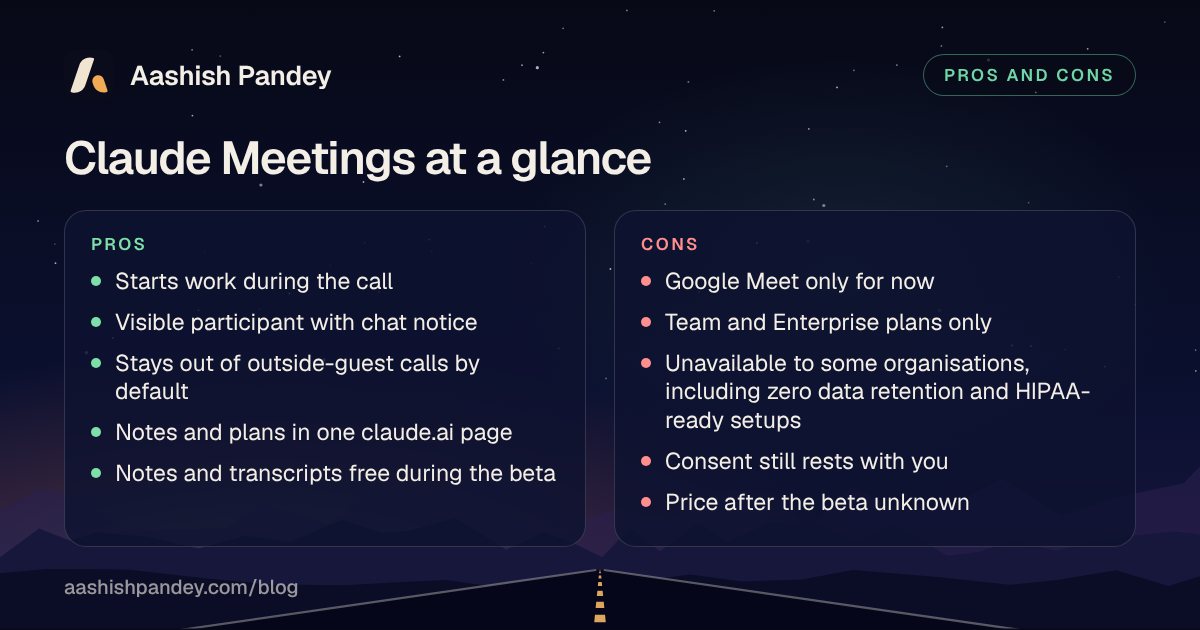
- Work starts during the call. A draft plan or timeline can exist before anyone hangs up, and Anthropic says that work usually starts after everyone hangs up.
- It is visible. The chat notice and participant tile make it hard to forget the bot is there.
- Cautious guest defaults. It stays out of calls with outside guests unless an admin allows it, and leaves if one joins late.
- Notes live where the work is. Everything lands in one claude.ai page rather than another app to check.
- Low cost to try on a paid plan. Notes, transcripts and most answers are free during the beta, with caveats under pricing below.
Cons
- Google Meet only, for now. If your team lives in Teams or Zoom, there is nothing to switch on yet.
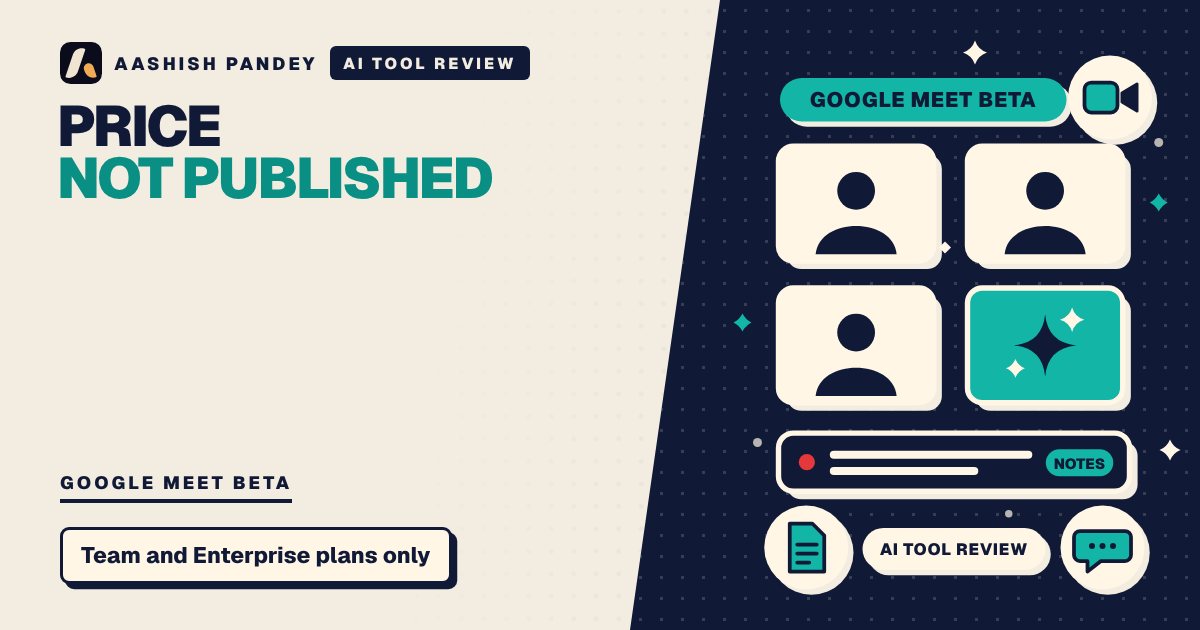
- Team and Enterprise plans only. Solo users and small shops on personal plans cannot try it.
- Some organisations are shut out. During the beta it is unavailable to some organisations, including those with zero data retention, a HIPAA-ready setup or customer-managed encryption keys.
- Consent is on you. Anthropic asks you to make sure everyone on your calls is fine with being transcribed. In my view, a notice in the chat is not the same as agreement.
- Plans still need an owner. A draft plan does not decide who is accountable for it.
- Guests and chat answers. If an admin allows outside guests, what they say goes into the notes and transcript, and answers posted in the chat are visible to everyone on the call. Connected-tool use counts toward plan usage, and for now Claude asks each time to confirm who is speaking.
Does the privacy question matter?
Yes, and the courts are already involved with other tools. Computerworld reported that Granola faces a proposed class action filed on July 30 in a California federal court. The complaint alleges the app can record calls without every participant's consent. Granola did not respond to a request for comment when that report ran, and these are allegations, not findings. The report says Granola offers optional transparency features, a chat alert when transcription starts and a watermark on the user's video. It also describes a similar case against Otter.ai, filed last year in the same district, alleging the company records users without their consent.
Claude Meetings joins as a labelled participant, which is a visible signal. In my view that helps on transparency. It does not remove the need to tell your colleagues and any customers on the call what is being recorded.
What does it mean for project teams?
The risk to watch is false comfort. UC Today quotes consultant Rahul Sharma: "An AI can build the plan before a meeting ends. It cannot make five functions own the same decision." The same piece suggests asking three questions of every AI-generated action: who owns the decision, when is input due, and what triggers escalation.
It also suggests starting with weekly delivery meetings, internal planning sessions and status reviews, and keeping executive, legal and customer-sensitive calls out of the first rollout. For a project manager, that is the sensible way to read the feature: a faster first draft of the minutes, not a replacement for the person who chases the actions.
Who should try it, and who should skip it?
Try it if your company already pays for Claude on a Team or Enterprise plan, your meetings run on Google Meet, and your calls are internal. A weekly planning meeting is a low-risk pilot.
Skip it for now if you use Teams or Zoom, run client-facing calls, work under strict data retention rules, or are on a personal plan. Dedicated note-takers such as Granola, Fireflies.ai and Otter remain an option, but weigh the consent questions above for any of them, and Anthropic says it is working with them, along with Gong, Attention and Plaud, so that you will soon be able to send a transcript to the tools teams already use. Reworked also points out that Zoom, Microsoft Teams, Google Meet and Zoho already include their own transcription.
What does it cost, and where is it available?
During the beta, notes and transcripts are free on Team and Enterprise plans. Claude's answers in calls are free too, unless an answer uses one of your connected tools, which counts toward your plan's usage. Docs, whiteboards and other artifacts made in a call are free through February 10, 2027. BetaNews says no separate Meetings price has been published, so the cost after the beta is unknown.
On Team plans the invite option is on unless an admin turns it off. On Enterprise plans, an admin switches it on for all or part of the organisation.
My take
I would pilot it, carefully. The idea of a draft plan before the call ends is the right target, because the gap between a decision and the first action is where projects slip. But I would wait on anything customer-facing until the consent and retention rules are written down. For a small team already on Claude Team, I'd try it on one internal weekly meeting, read the output against my own notes for a month, and decide from there. For everyone else, I'd watch the price once the beta ends.
Frequently asked questions
What is Claude Meetings?
Claude Meetings is an Anthropic beta that adds Claude to a video call as a visible participant. It follows the conversation, answers questions in the call chat, helps build docs and whiteboards, and writes notes and action items afterwards. At launch it works with Google Meet on Team and Enterprise plans.
Is Claude Meetings free?
During the beta, notes and transcripts are free on Team and Enterprise plans, and so are Claude's answers in calls, unless an answer uses a connected tool, which counts toward plan usage. Docs, whiteboards and other artifacts are free through February 10, 2027. No separate Meetings price has been published.
Does Claude Meetings record audio?
Anthropic says Claude saves a transcript, a summary and descriptions of what appeared on screen, not audio. It posts a notice in the call chat when it joins. Anthropic also asks teams to make sure everyone on their calls is comfortable with being transcribed before adding Claude or turning on auto-join.
Can Claude join calls with outside guests?
Not by default. Claude stays out of calls where someone from outside your organisation is invited, and leaves if an outsider joins partway through. An admin can allow it. On those calls Claude posts its notice but does not reply in chat, and what guests say is included in the notes and transcript.
Does Claude Meetings work with Zoom or Teams?
Not yet, as far as the sources I read say. Anthropic says support is currently available for Google Meet, with other video conferencing platforms coming soon. No date appears in the sources I read. If your team uses Zoom or Microsoft Teams, you would need to wait or keep using another note-taking tool for now.
Sources
- Anthropic launches Claude Meetings to turn workplace discussions into plans and tasks, TechCrunch
- Claude Meetings joins Google Meet calls in Anthropic push, betanews.com
- What Anthropic Claude Meetings Means for Enterprises, uctoday.com
- Claude Wants to Sit In on Your Meeting and Do the Follow, reworked.co
- Anthropic Brings Claude To Google Meet To Turn Workplace Conversations Into Action, allwork.space
- Anthropic Launches Claude Sheets and Meetings, androidheadlines.com
- Granola lawsuit raises concerns over AI note-taking app privacy, computerworld.com
- Introducing Claude Meetings, now in beta, claude.com
Tech news, checked twice, in your inbox.
One calm email when a story is worth your time. Unsubscribe in one click.